
Pro
What a licence unlocks, and what happens without one.
A licence lifts two limits, and opens AI on keys of your own:
- How many ways into a flow may be armed at the same time. Free runs three; Pro runs all of them.
- How many profiles you may have. Free runs two; Pro runs as many as you like.
- AI on a key of your own — see AI below.
Shortcuts, the Hyper key, leader menus, snippets, variables, and building and editing flows are all the same on a free copy. Nothing expires, and no feature is taken away when a subscription ends.
AI
Under Settings → AI, what runs on this Mac or on a plan you already pay for needs no licence: Apple Intelligence, models in Ollama and LM Studio, and Claude Code signed in with a Claude plan. A provider on a key of your own — Anthropic, OpenAI, Google and the others — needs Pro, and so does Claude Code signed in with an API key or a cloud such as Amazon Bedrock, which is a key of your own too. Those wear a Pro badge on a free copy.
When a subscription ends, nothing is deleted: a key you saved stays in your Keychain, Paused, and works again when Pro is back. Until then a request for it runs on a model that needs no licence, and says so, or is refused when none is ready.
Profiles
A profile is a whole set of automations — its own shortcuts, menus, snippets and
flows — and one is live at a time. The free plan runs two, and moving
between those two costs nothing: the Profiles tab, the switcher in the title
bar, the tray's Profile submenu, a Switch profile shortcut, a leader step
and the Next profile / Previous profile commands all work without a
licence. What Pro lifts is the count.
Adding the third is what a free copy is refused, and the button says so rather than failing:
The free plan runs 2 profiles. Unlock Pro in Settings → About → License to add more.
Nothing is written and nothing moves.
A book that is already over the cap
That is the lapsed-Pro shape, not the ordinary free one: four profiles made under Pro, and then the subscription ends. Nothing is deleted and nothing is rewritten — four profiles stay four profiles and keep everything in them — but while the book holds more than two, every way of switching is refused, and you stay in whichever profile was live at the moment Pro ended.
The controls are drawn greyed rather than left to fail, so it is visible before you press anything, and each profile that cannot be reached carries a padlock — hover it for the reason. The live row has none: it is not locked, it is the one you are in.
Two ways back, and only one of them costs money. Subscribe again and all of it returns with no repair. Or remove rows until the book holds two or fewer, which is a free copy claiming the two profiles the plan says it runs — removing a profile leaves its folder where it is, so nothing you wrote is lost either way.
Having several profiles does not multiply the flow cap below it, because only one profile is live: the flows in the others are not loaded and cannot fire.
What counts as a "way in"
The unit is a place, not a flow and not a shortcut:
- An armed flow spends one place per trigger combination it claims.
- A switched-on flow that holds no combination spends one.
- A flow that is switched off spends nothing.
So a flow with three Shortcut trigger nodes is three places; a flow started
only by name is one. A flow that alone asks for more places than the plan has
arms nothing rather than half of itself — a document where two of four
combinations answered the keyboard would do something nobody wrote.
Flows fill the plan from the top of the Flows list. The rest keep their settings and simply stop claiming the keyboard; the row says so. A declined press is never silent — it names the flow and the pane that would free a place.
Losing Pro is harmless
- A capped flow is never rewritten.
enabled: truestays, the switch stays on. Regaining Pro turns it back on with nothing to redo. - Subscribe again and the flows arm themselves. There is nothing to switch back on, because nothing was switched off.
The Run button inside the flow editor is never capped, so a flow can always be built and tested.
Pricing
One plan, two ways to pay: $4 / month, or $40 / year. The yearly price is the same product billed once.
Checkout is Lemon Squeezy's hosted page — the store, also reachable from the License pane and the homepage.
Activating
Paste the licence key into Settings → About → License and press Activate.
The License screen is a sub-view of About rather than a tab of its own; the
Pro badge in the sidebar footer is the other way in.
That is the whole of it — there is no account to make and nothing to re-activate on renewal: the key lives as long as the subscription does, and renewals extend it silently.
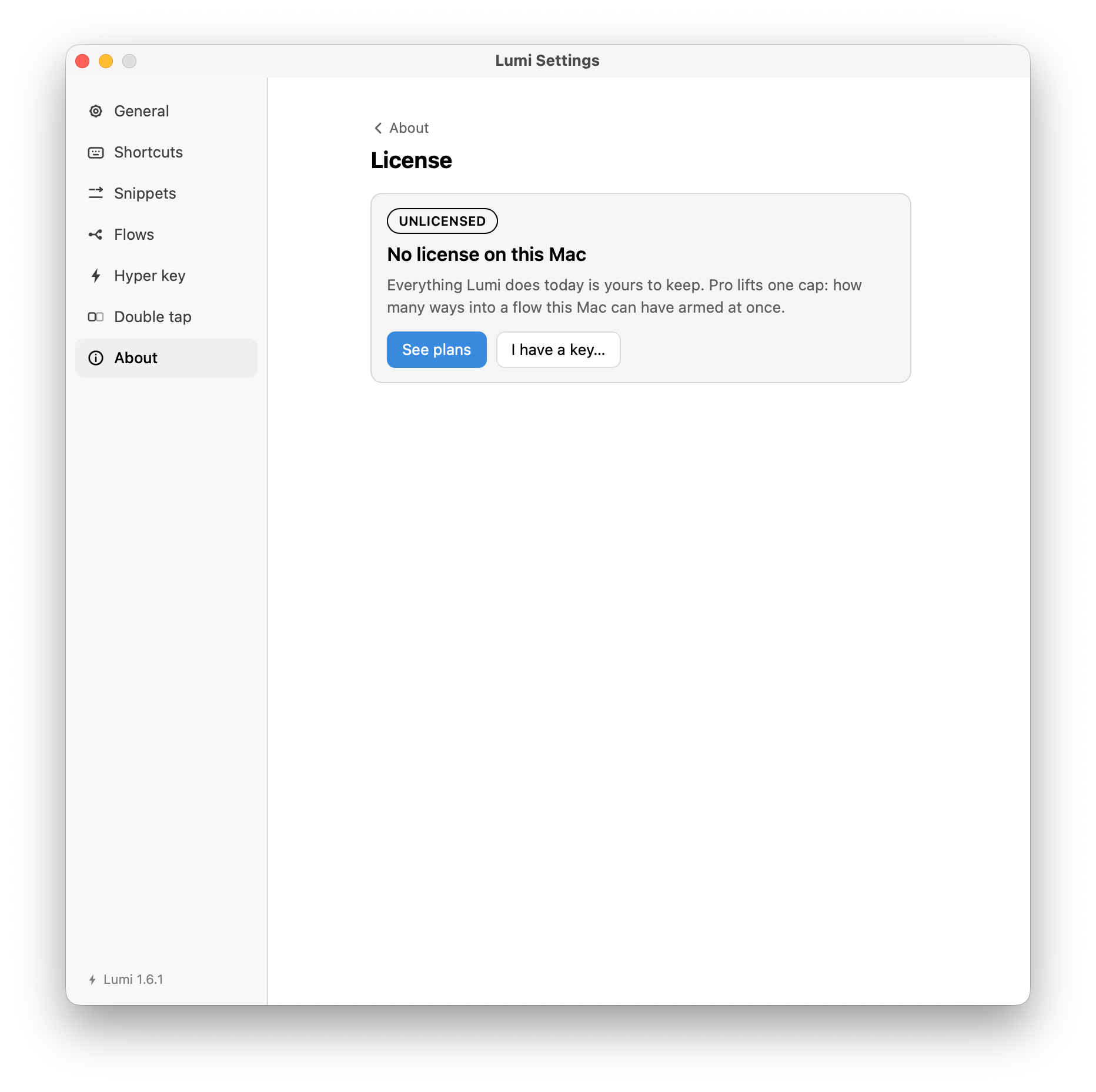
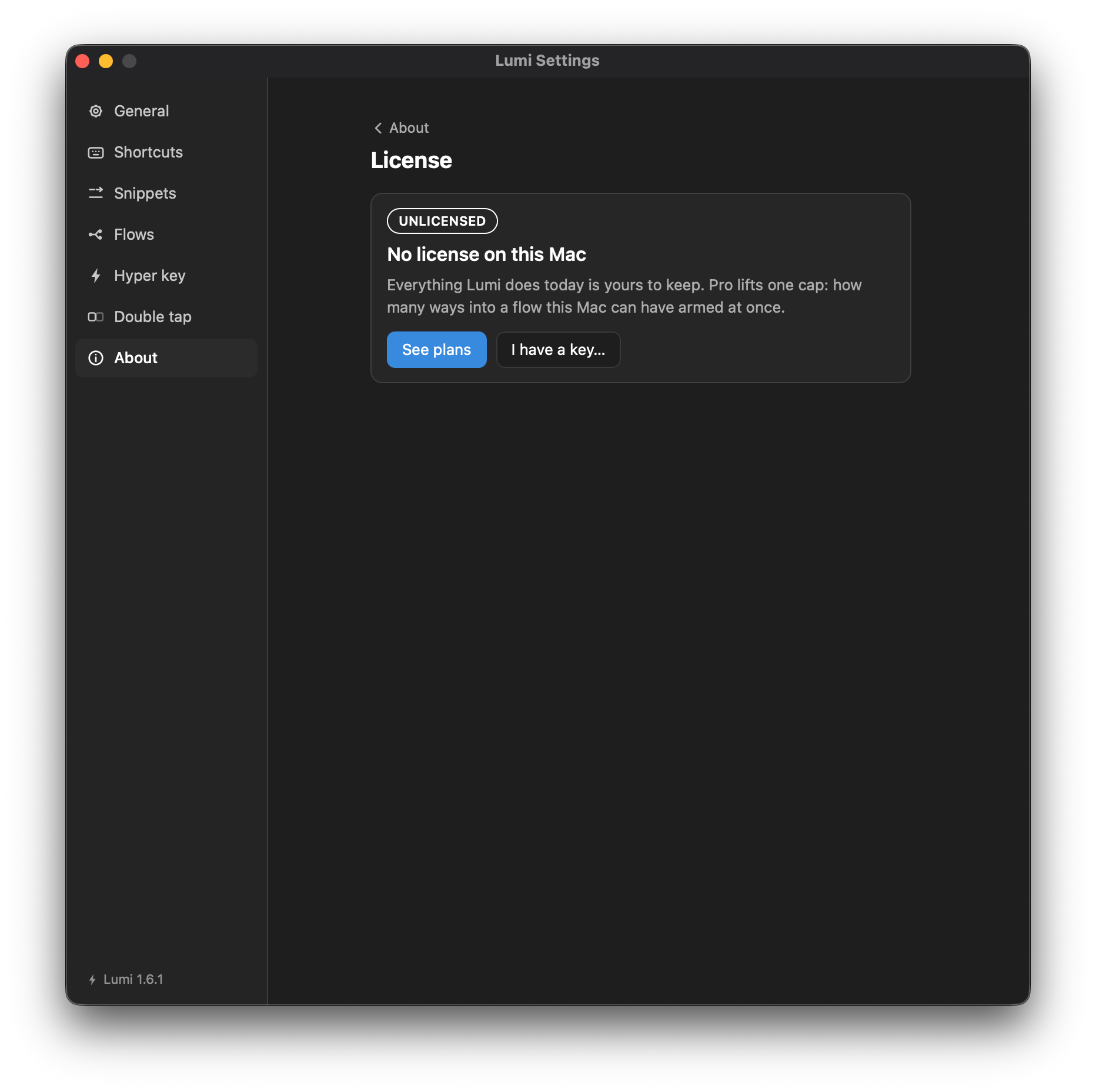
Your licence is stored locally, readable by your account alone: the key, this Mac's seat, the last known status, and the timestamps the re-check runs on. The key is never logged, and never shown again in full after you type it — the pane masks it, with a button to reveal it when you need it.
Moving to another Mac
A licence covers three devices — the pane's This Mac row counts them. To move one:
- On the old Mac, Settings → About → License → Deactivate. That releases this Mac's seat.
- On the new Mac, paste the key and Activate.
If a Mac is gone — wiped, or the app deleted — its seat can only be released from the billing portal (Manage… on the License pane), because the handle that identifies the seat went with it.
Deactivation needs the network
If Deactivate cannot reach the store, the key is still removed from this Mac, but the seat stays counted until you clear it from the portal. The pane says so when this happens.
Going offline
A live subscription publishes no expiry date — Lemon Squeezy sends none
while it is healthy and moves the status to expired only once it ends. So
there is no local countdown, and a lapse is visible only through a successful
check.
- A failed check is not an expiry. A timeout, a rate-limit or a server error leaves the stored licence exactly as it was. Offline for a week is still entitled.
- Thirty days without a successful check drops entitlement whatever the stored status says — the only bound available when there is no date to count down. One successful check undoes it: focus a window with a network behind it and the flows arm themselves again.
- Lumi re-checks quietly at launch and when a window is focused, at most once a day. A shortcut that runs a flow also consults entitlement, so a menu-bar app that goes weeks without a window still notices a lapse.
Reading the License pane
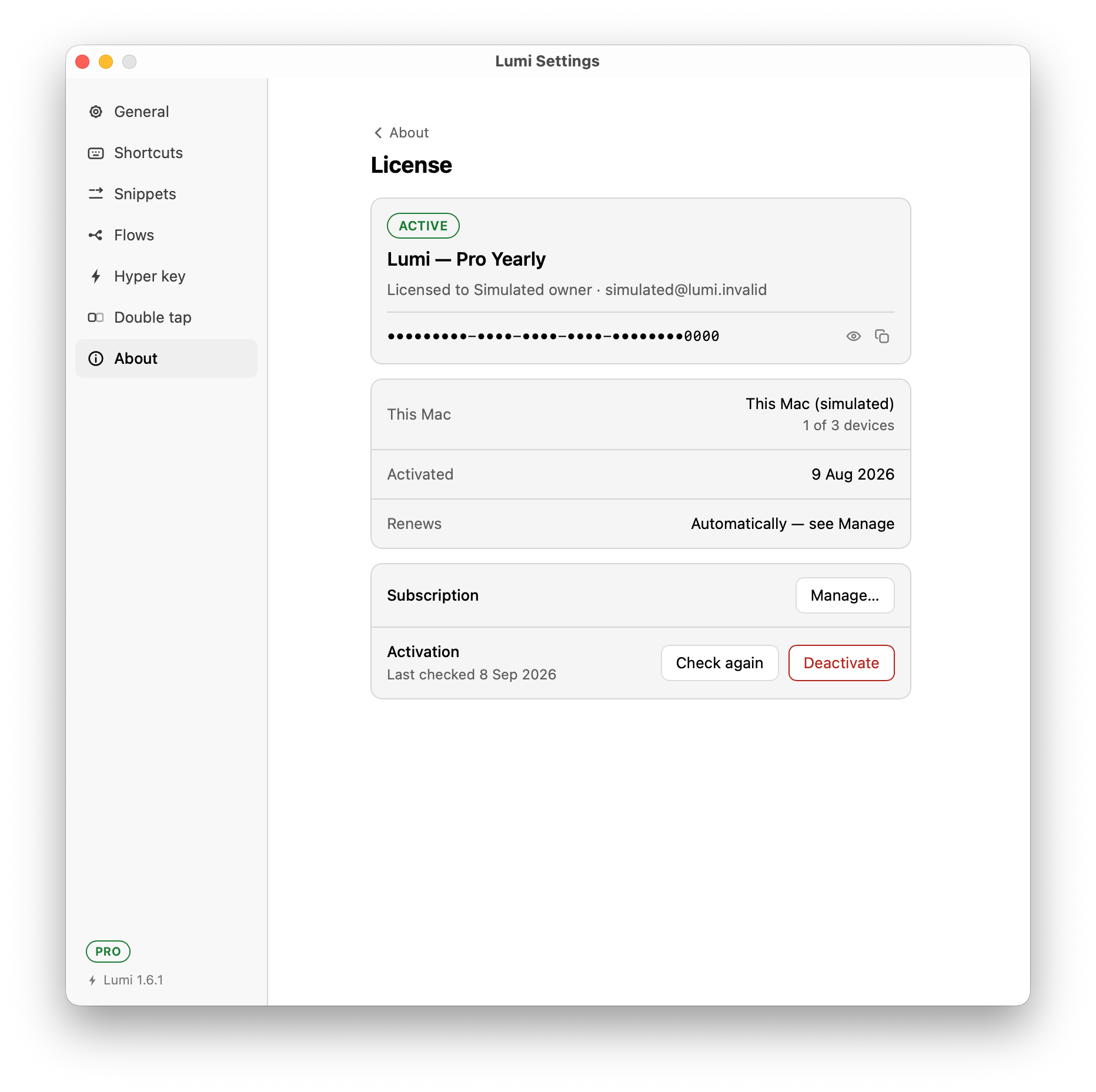
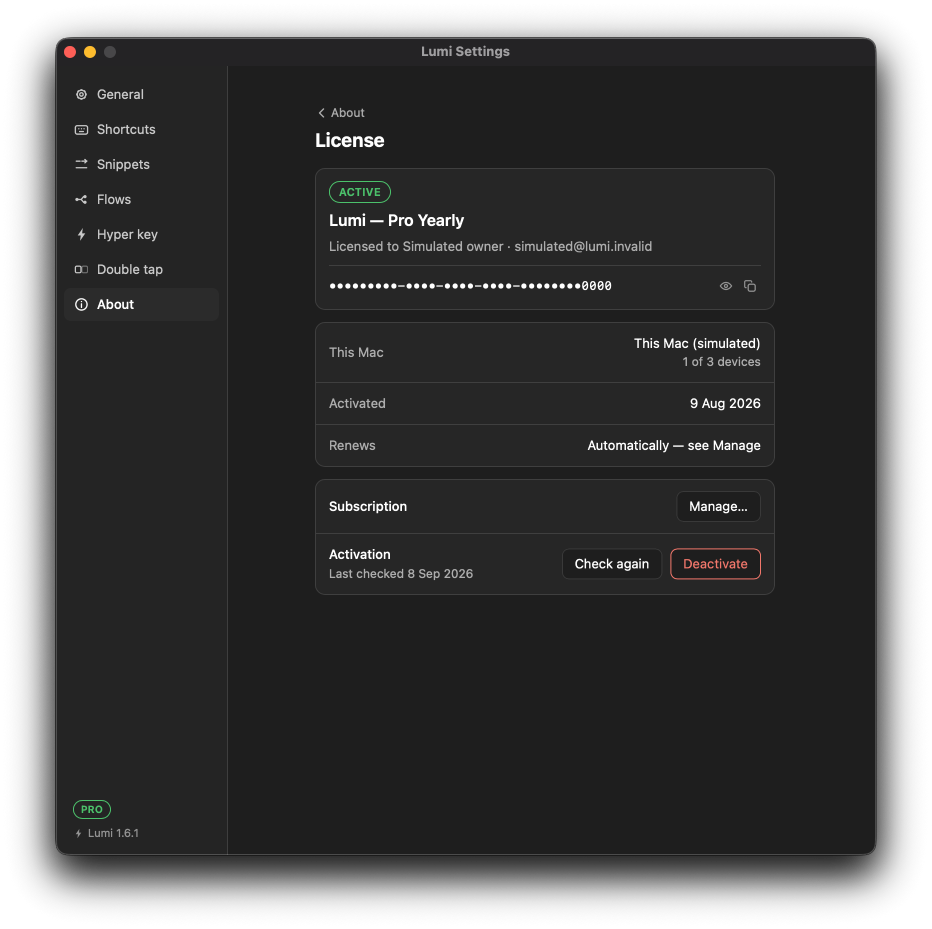
A status pill heads it — Active while the subscription is running — over the product, who it is licensed to, and the key itself, masked, with a button to reveal it and one to copy it.
| Row | Says |
|---|---|
| This Mac | Which seat this machine holds, and how many the licence has — 1 of 3 devices. |
| Activated | When this Mac took its seat. |
| Renews | Automatically — see Manage while the subscription is running. This is the ordinary case, not a fallback: a live subscription publishes no expiry date, so there is no countdown to show. A licence that does carry a date reads Ends instead — it has not renewed — and Expired past that. |
| Subscription | Manage…, straight to the billing portal. |
| Activation | When the last check succeeded, with Check again to force one now, and Deactivate to release this Mac's seat. |
Check again is the manual form of the quiet re-check above; the Last checked date beside it is the one the thirty-day bound counts from.
A licence on this Mac that is not currently granting Pro reads Pro inactive on the badge — expired, disabled, a released seat, a retired variant, or a month with no successful check. Only that one word is true of all of them, which is why the badge says it and the pane says which.
The badge under the version in the sidebar footer — visible above — is the
short version of that pane, and clicking it opens it. The tray's Version:
label carries the same word, which is the half that earns the feature: a
menu-bar app's window can go unopened for weeks, so a lapse that announced
itself once in a toast would otherwise show nowhere.
A free copy is never labelled. The badge is a reward, and a label on a copy that has bought nothing is an advertisement; there is no "Free" pill anywhere in Lumi.