
Leader menus
One combination opens a cheatsheet; one bare key per tier picks from it.
A shortcut whose action is Open menu does not do anything itself. It draws a cheatsheet over whatever is in front and holds the keyboard until you choose from it. The steps inside are ordinary shortcut rows keyed by a single bare key, and a step can open another menu — so ⌃⌥⌘L → a → t is three keys to something three tiers down.
The point is that only the first key has to be remembered. The panel names everything else.


Needs the Accessibility permission — a menu reads the keyboard while it is open.
Steering a menu
While a menu is open:
| Key | What it does |
|---|---|
| esc | Closes the menu |
| ← or ⌫ | Goes up a tier. At the root it does nothing at all. |
| → | Comes back down into the tier ← just left |
| ↑ ↓ | Pages a tier too long to fit; otherwise swallowed and inert |
| A click | Ends the walk, and still lands on whatever you clicked |
Any bindable key with nothing behind it closes the menu, silently — this is the one refused press in Lumi that says nothing, because the cheatsheet is on screen listing what that tier answers to, so it has already answered, and better. Nothing is ever passed through to the application underneath: while a menu is up, keys belong to it.
A step is one key, and case does not matter. A and a are the same step,
and so are ! and 1 — Shift is dropped when the key is recorded. Letters,
digits and punctuation may be steps; the function row and the arrow cluster may
not, because macOS decides what those mean before Lumi sees them.
Building a menu
There is no separate pane. A leader menu is a row in Shortcuts with a ›
at the end; click it to look inside, and the breadcrumb above the list is the
way back out. Add step rows the way you add any shortcut — the difference is
that the trigger is a single bare key, and the row can itself be another
Open menu action.
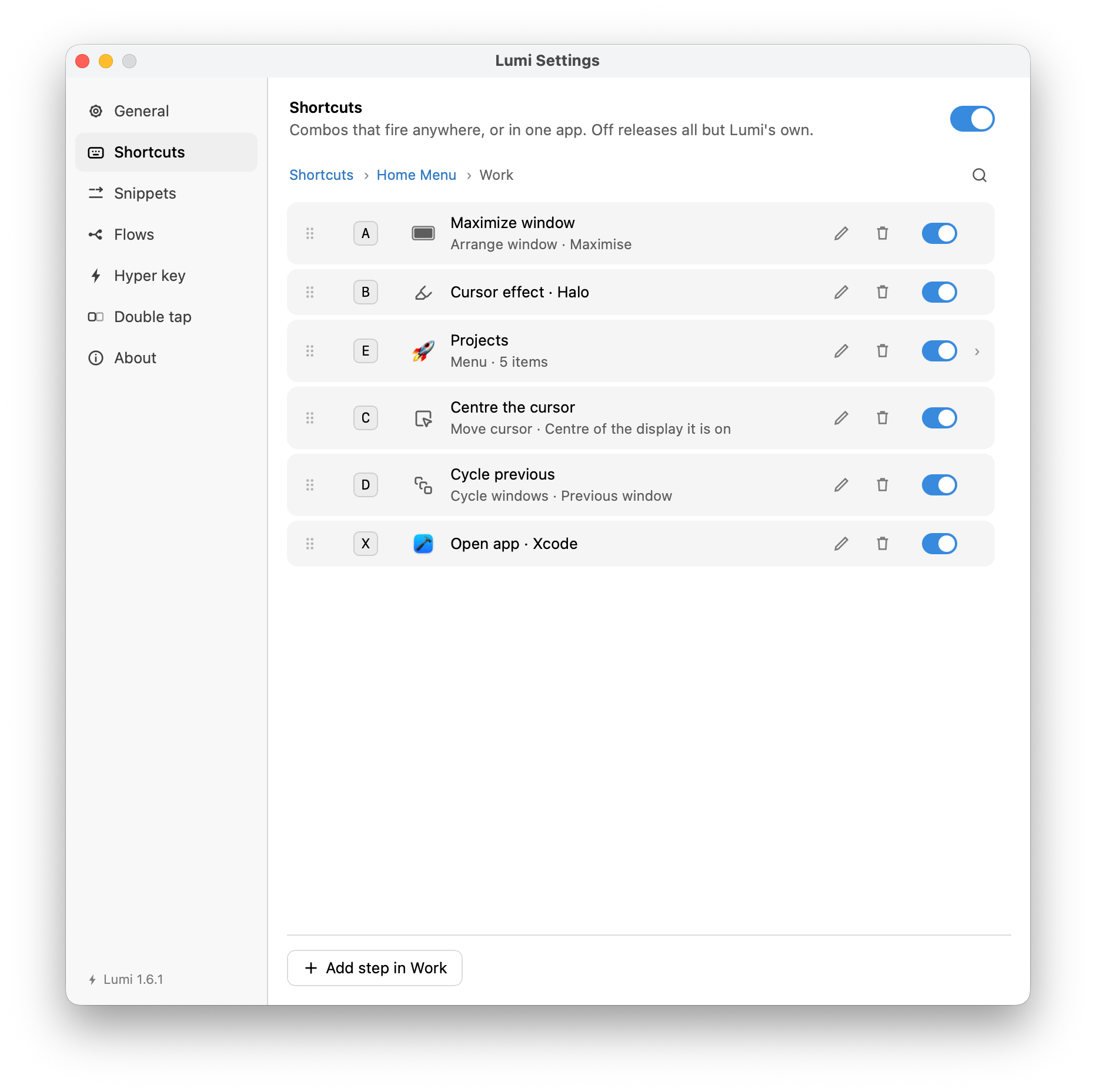
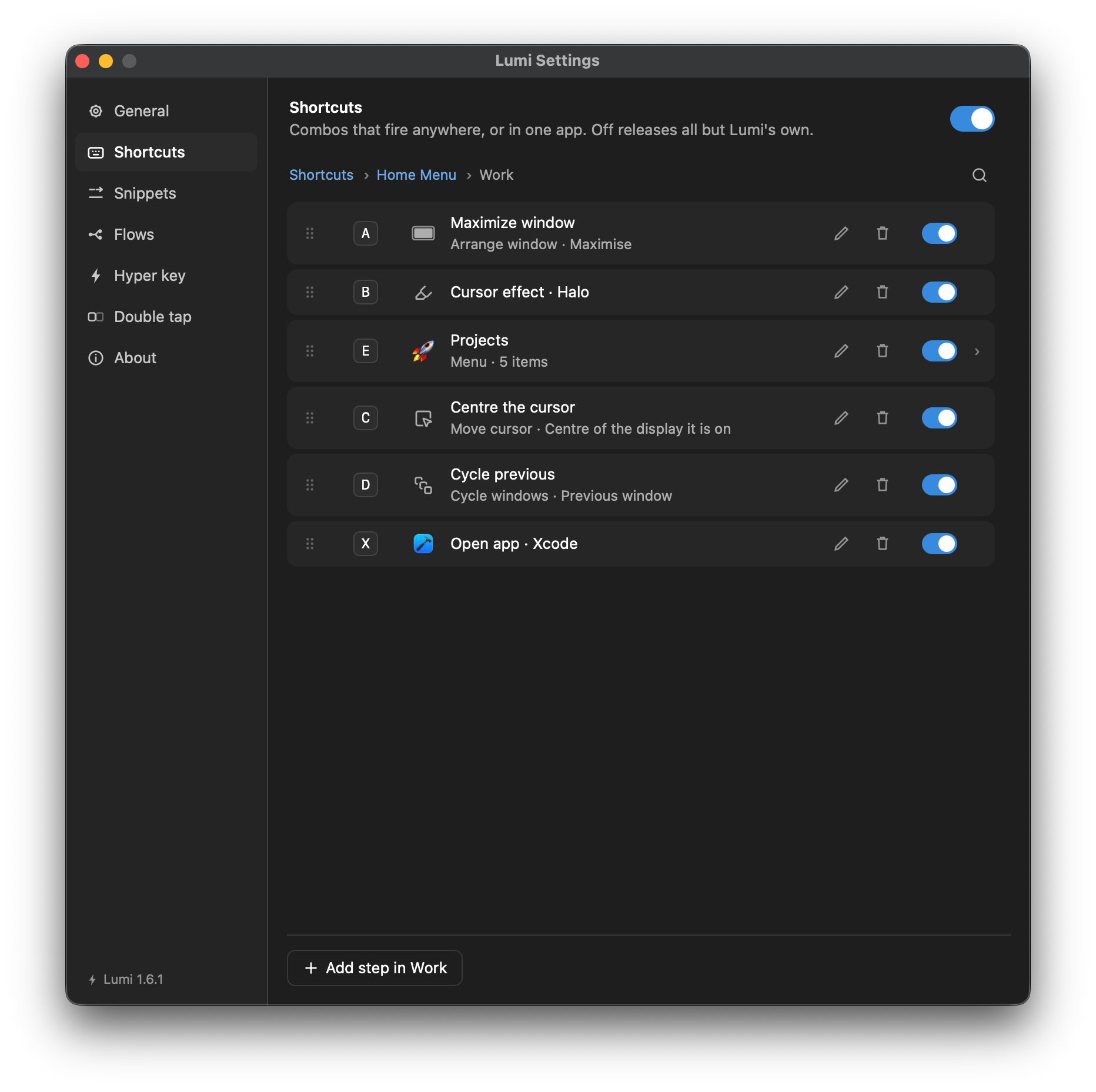
Each row shows the key that reaches it, so the list reads the way the cheatsheet will. The order of the rows is the order the cheatsheet prints them: drag a row by its grip to change it, or focus the grip and use the arrow keys.
Steps are not registered shortcuts. A leader's own combination is claimed
from the OS like any other, but a step is a bare letter — claiming a globally
would swallow the letter A everywhere — so steps are matched on the same event
tap the Hyper key uses and swallowed on a hit. A configured menu therefore
costs nothing until it is opened.
Pinning a step to an application
A step, like any shortcut, has a Runs in scope — except that here the scope is resolved once, when the leader is pressed, and frozen for the whole walk. A menu whose every step belongs to some other application opens with nothing in it, and so does one every step of which is kept out of the application you are standing in (see empty menus).
Rolling the opening combination into a step
If ⌥⌘N opens a menu that holds an n step, you walk it
⌥⌘n, n — and ⌥⌘n,
n, e two tiers down — without letting go of the
modifiers. Your hand is already on them, so a letter pressed while they are
held is a step, not somebody leaving. The modifiers are discarded, so
⌥⌘n and a bare n are the same step.
This is deliberate, not a collision. A repeat of the opening combination is not treated as a close or a reset.
The grid
General → Leader menus sets how the cheatsheet is laid out.
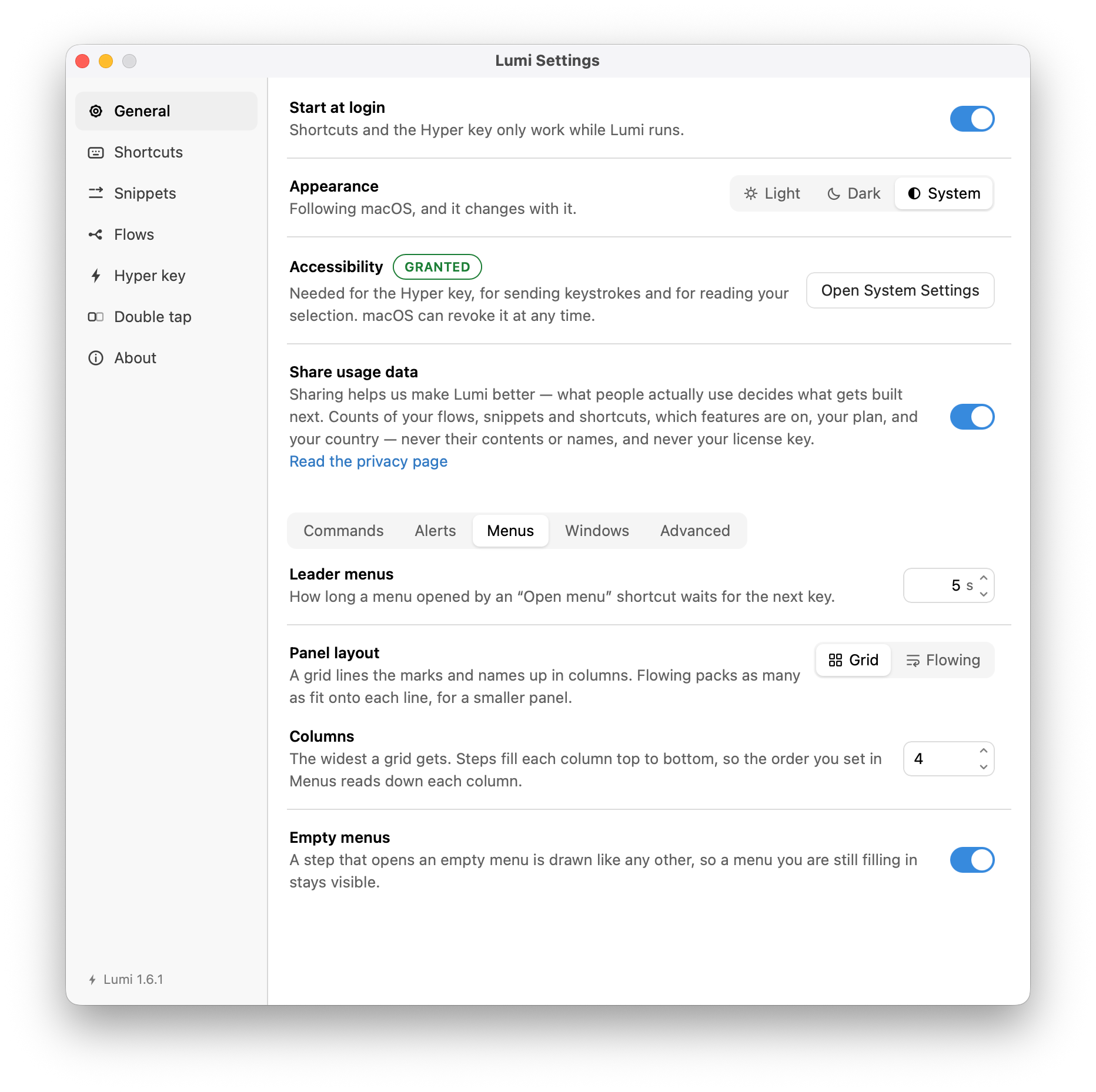
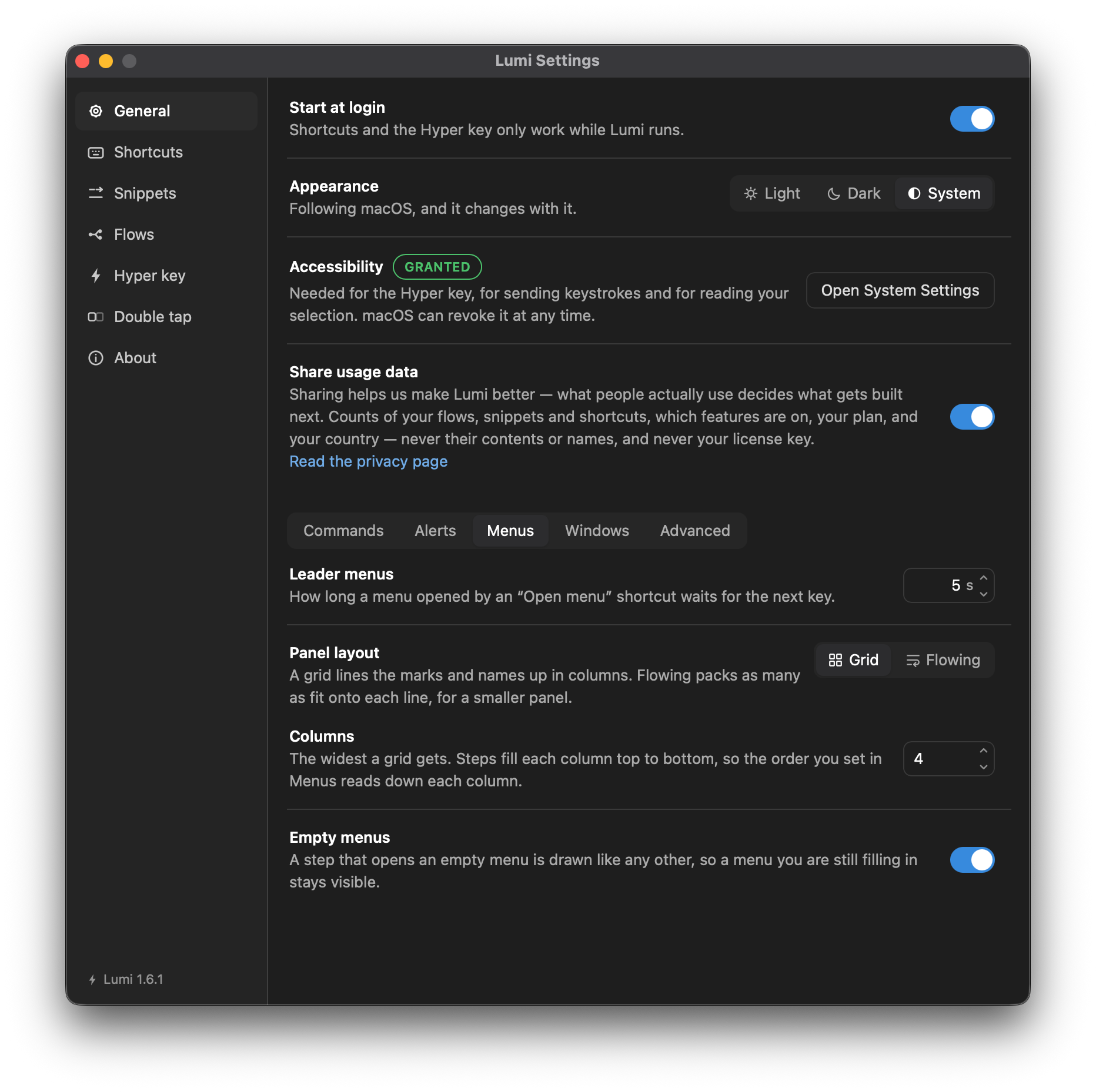
Arrangement
Grid lines the marks and the names up in columns, so the eye scans down one:


Flowing runs the steps along the line and wraps only when it has to, which turns a short tier into one compact row:


Columns
How wide the grid is, up to six. It is a ceiling: a tier fills a column before starting the next, so eight steps at six columns is two rows of four, not one row of six and one of two. A grid grows downward, and down has room; sideways stops at the panel's width.
A tier holding more steps than fit pages on ↑ ↓. The panel takes no clicks and never holds focus, so it cannot scroll — paging is the way through a long tier.
The pane's third setting, Show steps that open empty menus, is covered under Menus with nothing in them.
The breadcrumb
The panel is headed by the path you have walked, starting at the menu you
opened — its own name, or "Lumi menu" if you never gave it one. Where the path
is longer than the panel is wide, tiers in the middle collapse to …; the menu
you started in and the tier you are standing in are always both shown. The
breadcrumb never widens the panel — its width comes from the steps inside.
The timeout
A half-typed menu closes on its own after the number of seconds under General → Leader menus (default five). A single menu can override that on its own row — a two-tier menu and a five-tier one do not want the same patience. Every key pressed inside pushes the deadline back. A click does not feed the timeout, which is why a click closes the menu outright rather than leaving it to time out.
Menus with nothing in them
A step that opens a menu you have not filled in yet is still drawn, so a menu is visible while you build it. Pressing it opens the menu like any other and the panel says it is empty, rather than closing on you — press ← to go back or esc to leave.
Turn Show steps that open empty menus off to leave those steps out of the cheatsheet until they lead somewhere. This hides, transitively, a menu whose every step is itself an empty menu — and a menu whose every step is pinned to an application other than the one in front. Nothing is unbound by the switch: the keys still work if you type them blind.
When the menu is switched on with no pressable step anywhere under it, the save that switched it on carries an amber warning pinned to the opening row, so you hear about it when the menu goes live rather than when someone presses it and finds nothing.
When a menu goes away
Changing a menu row's action to something else, or deleting it, strands the steps inside — they are shown nowhere else, because looking into the row is the only way to reach them. Both are asked about first, with a count, and neither removes anything without being told to.
Steps whose menu is already gone — from a hand-edited settings file, or an import — collect under No way in at the bottom of the Shortcuts list, which is the only place they can be seen and so the only place they can be fixed.